
Keep or remove, at your pace
Swipe or use buttons to keep or remove a photo. Pick up again by month or date.

A CLEARER CAMERA ROLL
RollSortedWork through your camera roll and compare similar shots, with all sorting on your iPhone.
Every feature free. No account needed.
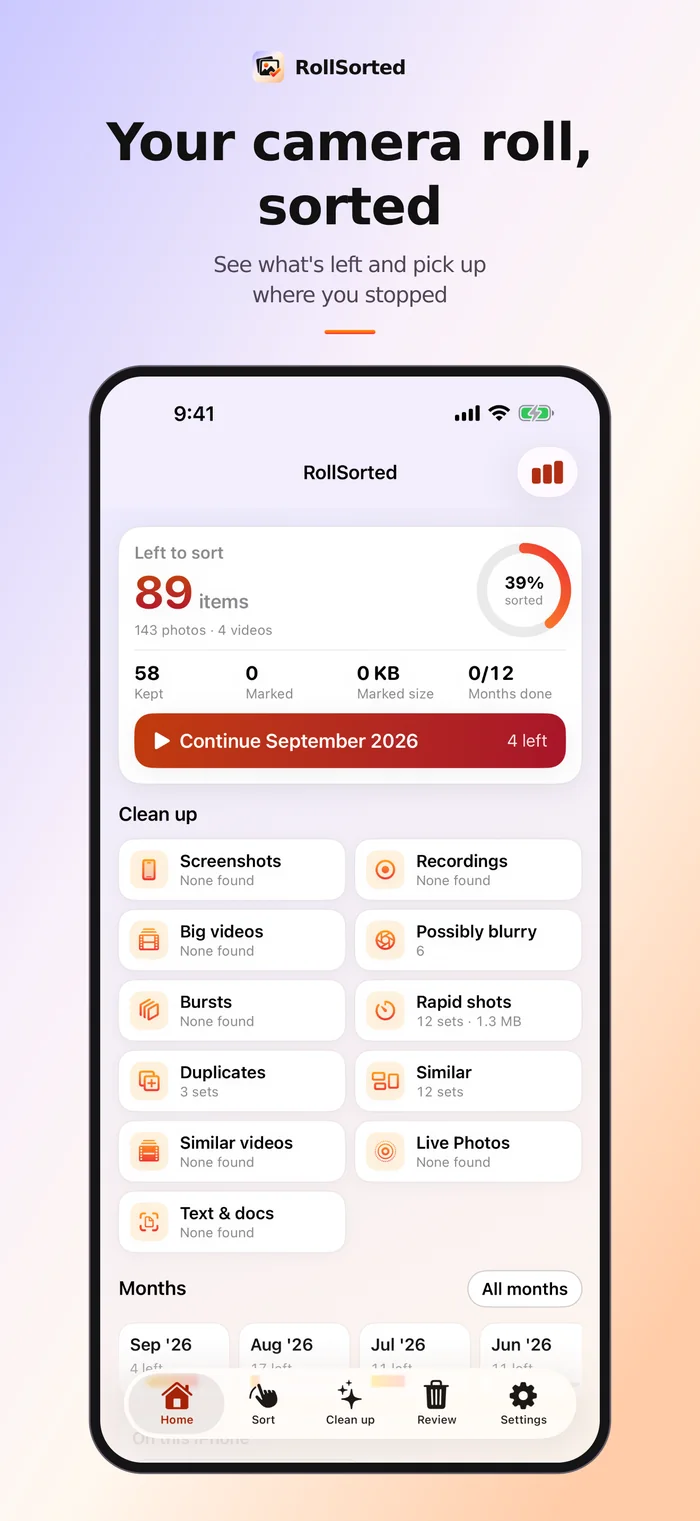
A CLEARER CAMERA ROLL
Review, compare, and choose what stays. Every removal is yours to confirm.
Swipe or use buttons to keep or remove a photo. Pick up again by month or date.
Review exact duplicates separately from similar shots. You decide what stays.
Compare burst frames and on-device suggestions. Suggestions never delete a photo.
Work through screenshots, recordings, possibly blurry photos, and large videos.
Undo queued removals and review them before the system asks for final confirmation.
Organize your Photos albums where permitted, with clear counts and storage estimates.
Photos you delete in RollSorted go to Recently Deleted in the Photos app, where you can restore them for about 30 days. If iCloud Photos is on, deletions apply on all your devices.
RollSorted


Private by design
Photo review, similarity grouping and best-shot suggestions run on your iPhone. To show photos stored only in iCloud, RollSorted asks Apple's Photos to fetch small previews from your own iCloud; nothing is sent to us. iCloud-only items are clearly marked. An account is optional. Health readings are never included in our online backups.
Part of Solstice Suite · Photos & Phone
Use the app without an account or a subscription.
Good to know
Not yet. RollSorted is in development for iPhone. This page describes what is planned; download details will appear here once the app is actually released.
No. Every feature is free.
No uploading is planned. Sorting and suggestions are designed to run on your iPhone without a cloud AI service. We will update this policy before launch to match the released app.
Deleting in the Photos library can also remove the item from iCloud Photos on your other devices. RollSorted will explain this at the delete step, and nothing is removed without the system's confirmation.
Not necessarily. RollSorted shows an estimate. How much space you get back, and when, depends on iOS, Recently Deleted and iCloud settings.
A real person reads every message.